
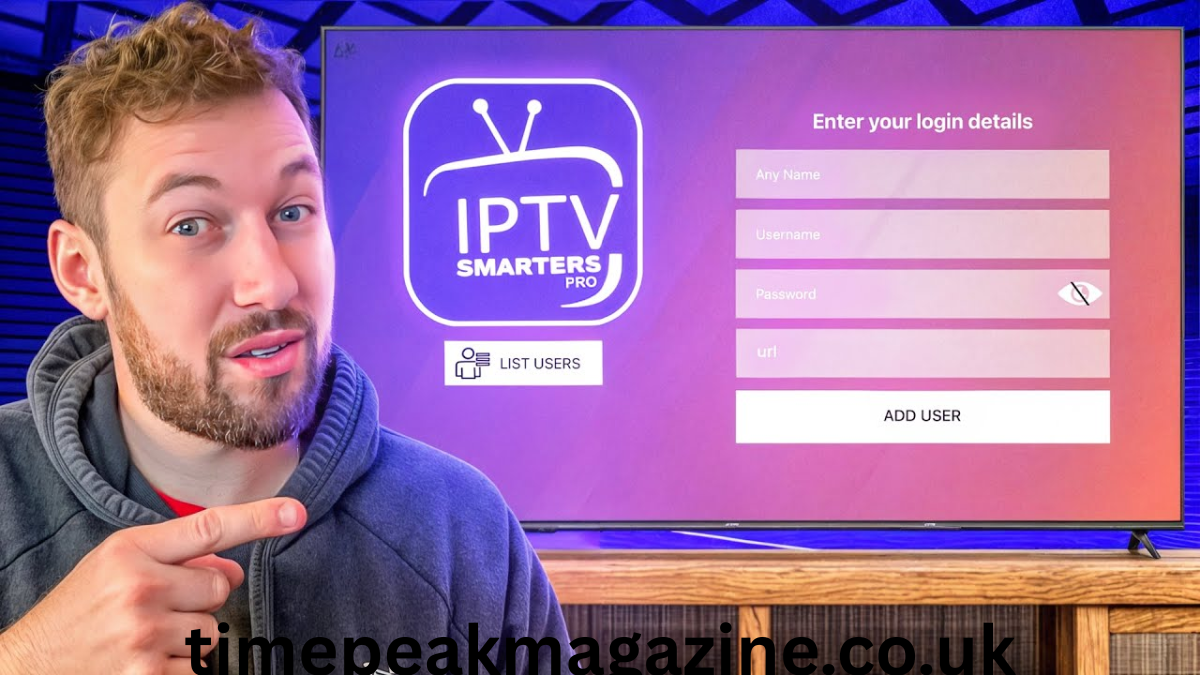
IPTV Smarters ProIPTV Smarters ProIn recent years, the way people consume television and video content has undergone a massive transformation. Traditional cable and satellite subscriptions are gradually being complemented, and in some cases replaced, by internet-based streaming solutions. Among the many applications available in this space, IPTV Smarters Pro has emerged as one of the most widely recognized and used media players. It offers a flexible platform that allows users to access various types of streaming content over the internet. This article explores what IPTV Smarters Pro is, how it works, its core features, advantages, limitations, and important legal and technical considerations to keep in mind when using it.
What Is IPTV Smarters Pro?
IPTV Smarters Pro is a feature-rich media player application designed specifically for Internet Protocol Television (IPTV). Unlike standalone streaming services that provide their own content libraries, IPTV Smarters Pro acts as a neutral interface — it does not host or supply any channels, movies, or television programs itself. Instead, it serves as a tool that connects users to content provided by third-party IPTV service providers.
The application is developed by WHMCS Smarters and is available across multiple operating systems and devices. It can be installed on Android smartphones and tablets, Android TV boxes, Fire TV devices, iOS devices, Windows PCs, and macOS computers. This cross-platform compatibility makes it accessible to a broad range of users, regardless of the hardware they prefer to use.
At its core, IPTV Smarters Pro reads and decodes streaming data transmitted over the internet using standard protocols such as HTTP, RTSP, HLS, and MPEG-DASH. It supports different input formats, including M3U playlists, which are the most common way IPTV services organize and deliver channel lists and content links.
How IPTV Smarters Pro Works
The operation of IPTV Smarters Pro follows a straightforward process. To begin using the app, a user must first obtain login credentials or a playlist link from an IPTV service provider. These credentials typically include a username, password, server URL, and sometimes a portal address. Once entered into the application, the app connects to the provider’s servers, retrieves the available content list, and displays it in a user-friendly interface.
The workflow can be broken down into a few simple steps:
- Installation: The user downloads and installs IPTV Smarters Pro from a trusted source or the official app store relevant to their device.
- Configuration: The user enters the necessary connection details provided by their IPTV service. This may be in the form of an M3U URL, Xtream Codes API information, or a similar format.
- Content Loading: The app communicates with the remote server, fetches the list of live TV channels, video-on-demand (VOD) titles, series, and other available media.
- Playback: Once the list is loaded, the user can select any content item, and the app begins streaming it by decoding the incoming data and displaying it on the screen.
It is important to emphasize again that IPTV Smarters Pro is only a playback tool. The availability, quality, and legality of the content depend entirely on the service provider the user chooses to connect with.
Key Features of IPTV Smarters Pro
One reason for the app’s popularity is its comprehensive set of features, designed to deliver a smooth and customizable viewing experience. Below are its most notable capabilities:
User-Friendly Interface
IPTV Smarters Pro is designed with simplicity in mind. The layout is intuitive, with clear sections separating Live TV, Movies, Series, and Catch-up TV. Navigation menus are easy to access, and users can quickly switch between categories without confusion. The interface also adapts to different screen sizes, making it suitable for both small mobile displays and large television screens.
Support for Multiple Formats and Protocols
The application supports a wide range of streaming protocols and file formats. It can handle M3U and M3U8 playlists, Xtream Codes API, and EPG (Electronic Program Guide) data. In terms of video and audio, it supports standard resolutions from SD up to Full HD and 4K Ultra HD, provided the source stream and internet connection can support those qualities. Audio formats include MP3, AAC, and AC3, ensuring compatibility with most modern sound systems.
Electronic Program Guide (EPG)
A major advantage over basic media players is the built-in EPG support. This feature displays the schedule of programs for each channel, showing what is currently playing and what will be broadcast in the coming hours or days. Users can plan their viewing, check program details, and even set reminders for their favorite shows, just like they would with traditional cable TV guides.
Catch-Up TV and Recording
Many IPTV services offer catch-up functionality, which allows users to watch programs that aired in the past 24 to 72 hours. IPTV Smarters Pro supports this feature seamlessly, enabling viewers to go back in time and watch missed broadcasts. Additionally, some versions of the app allow recording of live streams, either directly to the device’s internal storage or an external memory card, depending on the device’s capabilities.
Multi-Screen and Multi-User Support
The app allows users to add multiple IPTV subscriptions within the same installation. This means a single user can manage different service providers or family members can each have their own profile. It also supports multi-screen functionality, allowing content to be cast or mirrored to compatible devices, though this depends on the user’s hardware and network setup.
Parental Controls
For households with children, IPTV Smarters Pro offers parental control options. Users can set passwords, restrict access to specific channels or categories, and create safe viewing environments. This helps prevent younger audiences from accessing content that may not be age-appropriate.
Customization Options
Users can adjust various settings to suit their preferences. These include changing video resolution, adjusting aspect ratio, selecting audio tracks and subtitles, modifying playback speed, and organizing channels into custom groups or favorites. The ability to save favorite channels makes accessing frequently watched content much faster.
Advantages of Using IPTV Smarters Pro
There are several reasons why IPTV Smarters Pro has gained a strong following among streaming enthusiasts:
Wide Compatibility
As mentioned earlier, it works across almost all major operating systems and devices. Whether someone uses a smartphone, a dedicated streaming box, or a desktop computer, they can use the same application to access their IPTV service. This consistency across platforms makes it easy to switch devices without having to learn a new interface.
Lightweight and Efficient
The application is designed to be resource-efficient. It does not consume excessive processing power or memory, which means it runs smoothly even on older or less powerful devices. It also uses bandwidth efficiently, adjusting stream quality when the internet connection fluctuates, which helps reduce buffering issues.
No Subscription Cost for the App
IPTV Smarters Pro itself is generally available for free or at a low one-time fee, depending on the platform and version. There are no recurring charges for using the player. The only costs involved are those associated with the IPTV service provider chosen by the user. This makes it a cost-effective choice compared to purchasing expensive proprietary hardware or software.
Centralized Viewing Experience
Instead of using multiple different apps to access different services, IPTV Smarters Pro allows users to bring all their IPTV content into one unified interface. This reduces clutter and makes it easier to manage subscriptions and viewing habits.
Limitations and Challenges
While IPTV Smarters Pro offers many benefits, it also comes with certain limitations and challenges that users should be aware of:
Dependence on Internet Connection
IPTV streaming requires a stable and sufficiently fast internet connection. To watch standard definition content, a speed of at least 3 to 5 Mbps is usually recommended. For Full HD, speeds of 8 to 12 Mbps are better, and 4K content may require 20 Mbps or more. If the connection is unstable or slow, users will experience buffering, freezing, or lower-quality video.
No Built-In Content
Since the app is only a player, it does not provide any channels or movies on its own. Users must find and subscribe to a separate service provider. This means the quality, reliability, and range of content are entirely out of the control of the app’s developers.
Variable Service Reliability
IPTV services operate differently from official broadcasters. Their uptime can vary, and streams may occasionally go offline or experience interruptions. There is no guarantee of consistent performance, and technical support is often limited compared to traditional broadcasters.
Legal and Copyright Considerations
This is perhaps the most critical aspect of using IPTV Smarters Pro. The application itself is legal software — it is a legitimate media player tool. However, the legality of what you watch through it depends entirely on the source of the content.
Many IPTV services offer access to copyrighted television channels, movies, and sports events without obtaining the necessary licenses or distribution rights. Accessing or distributing such content may violate copyright laws and regulations in many countries and regions. This can lead to legal consequences, including fines or other penalties.
It is the responsibility of the user to ensure that the IPTV service they subscribe to holds the proper rights to broadcast the content it provides. Legal IPTV services are those that operate with the permission of content owners and pay appropriate royalties. These services are transparent about their licensing agreements and operate within the framework of local laws.
Using unlicensed services also carries other risks. These providers often operate without proper security measures, which may expose users to malware, phishing attempts, or data privacy violations. Additionally, these services can be shut down at any time, leaving users without access to the content they paid for.
Security and Privacy Tips
To use IPTV Smarters Pro safely and responsibly, consider the following guidelines:
- Choose Reputable Sources: Only download the application from official app stores or the developer’s official website to avoid modified versions that may contain malicious software.
- Verify Service Legitimacy: Before subscribing to any IPTV service, research its background, read reviews, and confirm whether it has the necessary broadcasting rights. Be cautious of services offering hundreds of premium channels at unusually low prices, as these are often unlicensed.
- Protect Your Network: Use a secure internet connection and consider using a reliable security solution to protect your device from potential threats. Avoid sharing your login credentials with others.
- Stay Updated: Keep the IPTV Smarters Pro application updated to the latest version. Updates often include bug fixes, security patches, and improved compatibility with new streaming standards.
- Understand Local Laws: Familiarize yourself with the laws regarding streaming and copyright in your own country or region, as regulations vary significantly from one place to another.
Conclusion
IPTV Smarters Pro stands out as a versatile and powerful media player that has reshaped how many people access streaming content. Its wide compatibility, rich feature set, and user-friendly design make it a popular choice for those looking to use IPTV technology. However, its true value and safety depend heavily on how it is used.
